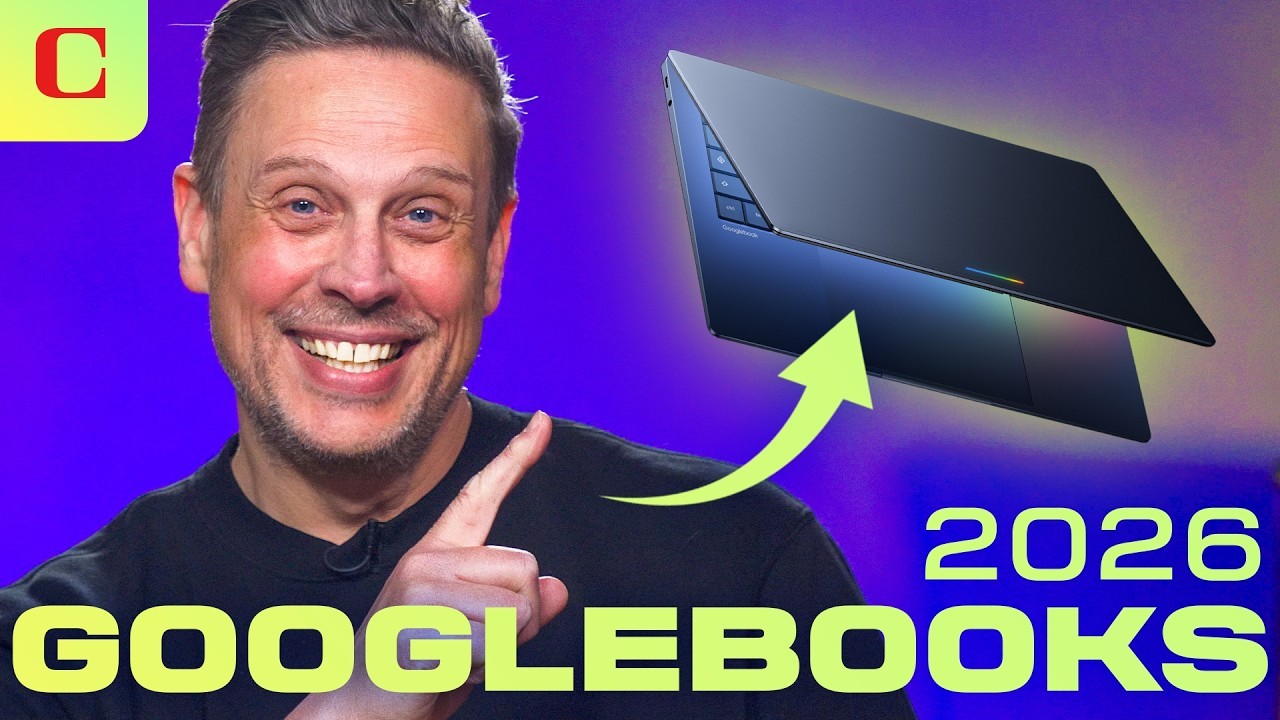
The Future is Here: Unleashing Productivity with Google book Gemini Intelligence Laptops
Have you ever felt like your laptop was just a silent tool, waiting for you to tell it exactly what to do? We’ve all been there juggling twenty browser tabs, digging through emails to find a single date, and wishing the machine could just understand the context of our work. Well, the wait for a truly intuitive partner is over.
Enter the era of the googlebook gemini intelligence laptops. Announced just yesterday at “The Android Show: I/O Edition,” these aren’t just your standard hardware refreshes. They represent a fundamental shift in how we interact with technology. By weaving Google’s most advanced AI directly into the fabric of the operating system, these AI powered Google laptops are designed to anticipate your needs rather than just follow your clicks.
In this guide, we’ll explore everything you need to know about this new category of smart productivity laptops, from the magical “Glowbar” to the game changing Magic Pointer.
What are Googlebook Gemini Intelligence Laptops?
The googlebook gemini intelligence laptops are a new breed of high end portable computers built from the ground up to center around Gemini, Google’s flagship artificial intelligence. While we’ve loved Chromebooks for their speed and simplicity, the “Googlebook” is something different entirely.
It runs on a modern “intelligence system” rumored to be a seamless mashup of ChromeOS and Android that prioritizes local, low latency AI processing. Unlike traditional PCs where AI is tucked away in a separate app or browser tab, on these Gemini AI laptops, the intelligence is everywhere.
Whether you’re a professional managing complex projects or a student organizing a semester’s worth of research, these machines are designed to be proactive assistants that live right at your cursor.
Key Features and Benefits of Gemini AI Laptops
What makes a Googlebook stand out in a crowded market of Windows PCs and MacBooks? It comes down to a few “only on Googlebook” innovations that redefine productivity.
The Magic Pointer
Imagine wiggling your mouse and having the AI instantly know what you’re looking at. The Magic Pointer allows Gemini to provide contextual help based on your screen content. If you point at a date in a messy email, it offers to schedule a meeting. If you highlight a photo of a couch on a shopping site and a photo of your living room, it can visualize that couch in your home instantly.
Create Your Widget
Gone are the days of static desktops. With googlebook gemini intelligence laptops, you can simply prompt the AI to build a custom dashboard. Need a single place to track your flight, your hotel reservation, and a countdown to your vacation? Just ask, and Gemini builds the widget for you, pulling data from Gmail and the web in real time. This seamless experience works like a modern mechanical system, where different digital components move and interact together in perfect coordination, just like gears in a machine.
The Signature “Glowbar”
Every Googlebook features a unique light strip on the lid known as the “Glowbar.” This isn’t just for aesthetics; it’s a visual indicator that you’re using a certified intelligence system. It pulses with Google’s signature colors, letting the world know you’re working on a premium, AI first machine.
How It Works: A Step by Step Guide to the Googlebook Experience
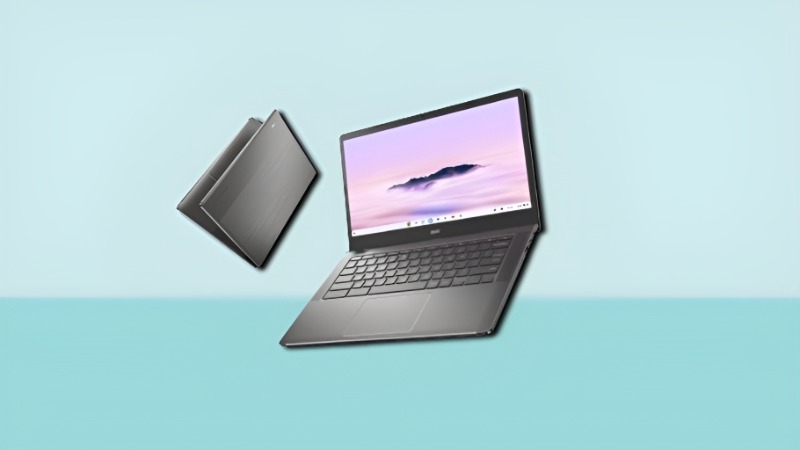
Getting started with googlebook gemini intelligence laptops is designed to be as frictionless as using an Android phone. Here’s how the workflow typically looks:
- Seamless Setup: When you first open your Googlebook, it syncs with your Google Account and your Android phone. There’s no complex “transferring” of files; the laptop simply “sees” what’s on your phone.
- Activating Gemini: You don’t have to launch an app. By using a “wiggle” gesture with your trackpad or mouse, the Magic Pointer wakes up Gemini to scan your active window for helpful actions, whether you’re browsing, working, or even playing games like Forza Horizon.
- App Casting: If you’re working on your laptop and need to check a food delivery or a banking app that’s only on your phone, you can “cast” that app directly onto your Googlebook screen. You can interact with it using your keyboard and mouse as if it were natively installed.
- Local Processing: Because these smart productivity laptops use advanced NPUs (Neural Processing Units), many of these AI tasks happen right on the device. This means your data stays private and the responses are lightning fast, even without a perfect internet connection.
The Next Frontier: Why Googlebook Gemini Intelligence Laptops are Redefining Mobile Work
The traditional laptop is undergoing its biggest transformation since the invention of the trackpad. If you followed “The Android Show: I/O Edition” this week, you know that the buzz isn’t just about a new model it’s about a new category. The googlebook gemini intelligence laptops are officially here to challenge everything we know about portable computing, bringing smarter AI experiences that feel connected across the digital of modern technology.
For years, we’ve used laptops as digital filing cabinets. We open them, search for a file, launch an app, and then get to work. But Google is flipping the script. These AI powered Google laptops don’t just wait for your input; they use an integrated “intelligence layer” to assist you in real time. By moving away from a traditional operating system and toward an “Intelligence System,” Google is promising a future where your computer finally speaks your language.
In this deep dive, we’ll explore how the googlebook gemini intelligence laptops are bridging the gap between your phone and your PC, making smart productivity laptops the new standard for 2026.
Tips and Best Practices for Smart Productivity Laptops
To get the most out of your AI powered Google laptops, you’ll want to change how you think about your daily tasks.
- Talk to Your Desktop: Don’t spend time organizing folders. Use the “Create Your Widget” feature to ask for a “Project Hub” that automatically gathers your relevant Docs, Sheets, and emails for a specific client.
- Leverage Android Integration: Stop emailing yourself photos or files from your phone. Use the “Quick Access” feature in the file browser to drag and drop files directly from your phone’s storage to your laptop’s desktop, making multitasking and digital workflow management easier for modern users and Islmarketing professionals alike.
- Use the Magic Pointer for Research: When reading long PDFs or articles, wiggle the pointer to ask Gemini for a summary or to explain a complex term without ever leaving the page.
Common Mistakes to Avoid with Googlebook Gemini Intelligence Laptops
While these machines are incredibly powerful, there are a few pitfalls to watch out for as you transition to an AI first workflow:
- Treating it like a Budget Chromebook: These are premium machines built for heavy lifting. Don’t be afraid to run professional grade Android apps or handle multi layered AI tasks; they have the NPU power to handle it.
- Ignoring Privacy Settings: While Gemini is designed to be helpful, it’s always a good idea to review your “Gemini Intelligence” settings to ensure you’re only sharing the context you’re comfortable with.
- Over reliance on Cloud Storage: Since these laptops offer deep integration with your phone and local AI, you don’t always need to upload everything to the cloud. Use local “Quick Access” to keep your workflow fast and secure.
Conclusion: Why the Googlebook is a Game Changer
The launch of googlebook gemini intelligence laptops marks a turning point in personal computing. We are moving away from laptops that are merely “folders and browsers” toward machines that act as true collaborators.
By combining the craftsmanship of partners like Dell, HP, and Lenovo with the sheer brainpower of Gemini, Google has created a category that actually understands the work you are doing. Whether it’s the intuitive Magic Pointer or the seamless way it talks to your Android phone, the Googlebook is designed to save you time and reduce the “digital friction” we all face daily.
If you’re looking for a laptop that is as smart as your smartphone and as powerful as your workstation, the googlebook gemini intelligence laptops are the future you’ve been waiting for.
FAQ Section
What is the difference between a Chromebook and a Googlebook?
A Chromebook is built for a cloud first experience using ChromeOS. A Googlebook is an “intelligence-first” laptop designed specifically for Gemini AI, featuring premium hardware (like the Glowbar) and exclusive AI tools like Magic Pointer and Create Your Widget.
Do Googlebook Gemini Intelligence Laptops work with iPhones?
While you can use Google services on an iPhone, the most powerful features like App Casting and direct file browsing are designed for deep integration with the Android ecosystem.
What is the “Glowbar” on the new Google laptops?
The Glowbar is a signature LED light strip on the lid of every Googlebook. It serves as a visual identity for the platform and pulses to indicate when the Gemini Intelligence system is active or processing.
Can I run professional software on a Googlebook?
Yes. These laptops are designed with high end processors (like Intel Core Ultra or AMD Ryzen AI) and NPUs. They run advanced Android apps and web based professional suites, making them suitable for power users and creators.
When will the first googlebook gemini intelligence laptops be available?
Following the announcement in May 2026, the first wave of Googlebooks from manufacturers like Acer, ASUS, Dell, HP, and Lenovo is expected to hit the market in the fall of 2026, likely between September and November.

Leave feedback about this